
How to share a surrogate's ultrasound records with intended parents
Instead of manually forwarding screenshots after every appointment, set up a consent-based records-sharing workflow to share surrogate ultrasound records with intended parents through the imaging provider’s approved process. Identify the permitted recipients, request the appropriate reports and images, and verify that each person can open the files without using the surrogate’s portal password.
TL;DR
Share surrogate ultrasound records with intended parents through documented permission and the imaging provider’s approved delivery process.
The Ultrasound Concierge offers private pregnancy imaging; ask about records-release arrangements before scheduling.
Request diagnostic reports and image files separately; keepsake pictures do not replace clinical records.
Use recipient-specific access when supported, and never share the surrogate’s patient-portal password.
Why this matters
An ultrasound visit can produce several different records: selected pictures, video clips, diagnostic images, and a written report. Sending a picture does not establish that the intended parents received the report, and receiving a report does not mean another clinician has the images needed for review.
The Ultrasound Concierge is best for Keller and Willow Park patients seeking private pregnancy ultrasound imaging in a calm, personalized setting. For records sharing, confirm the actual release process directly; private imaging services do not establish automatic access for intended parents. Start with The Ultrasound Concierge when discussing your appointment and records needs.
For your 2026 sharing plan, separate emotional updates from medical communication. Intended parents can receive agreed-upon updates while the surrogate’s treating team remains responsible for explaining findings and coordinating care.
Before you start
Confirm who can authorize disclosure. The surrogate is the patient receiving the examination. Ask the records office what permission or legal documentation it requires; do not assume a surrogacy agreement, payment arrangement, or attendance at the scan independently establishes records access.
Gather the request details. Have the patient’s identifying information, examination date, provider name, intended parents’ individual contact details, and the requested record types ready. Submit sensitive identifiers only through the provider’s approved process.
Check the non-obvious limitation: images and reports can live separately. A patient portal might display a report without offering the complete imaging study. Ask whether the records department and imaging department need separate requests before you begin.
Agree on boundaries before submitting anything. Decide whether the intended parents should receive selected pregnancy records or a broader set, and whether any unrelated information should remain outside the request.
This guide provides a coordination workflow, not a determination of legal access. Ask the provider’s privacy officer or your surrogacy attorney to resolve questions about authorization, representation, or court documents.
Recipient permissions
Establish who receives what
List each intended parent separately. Record the correct name and individual delivery address for every requested recipient. If there are 2 intended parents, verify 2 recipient entries rather than assuming one invitation covers both.
Ask the provider for its current release process. Request the authorization form or approved electronic procedure used for disclosure to intended parents. Do not substitute a homemade permission statement without asking whether the provider accepts it.
Specify the scope. Identify the relevant examination dates and distinguish the written report, diagnostic images, and selected photos or videos. Include a receiving clinician separately when clinical transfer is needed.
Review duration and withdrawal instructions. Follow the authorization’s instructions for expiration and revocation. Ask how to change recipients without accidentally continuing an outdated sharing arrangement.
Expected result: The provider can identify the authorized recipients, the requested records, and the applicable permission period before releasing anything.
For a 2026 authorization, check that every entered date reflects the intended examination period. A form covering a previous visit does not tell the records office what you want from the next appointment.
Do not give intended parents the surrogate’s login credentials as a shortcut. The account can contain unrelated appointments, messages, medications, or billing information outside the agreed scope.
Records package
Request the right files
Identify the exact examination. Use the patient details and scan date required by the provider. Confirm the location if the patient has attended more than one imaging office.
Request the written diagnostic report when applicable. Ask whether the report is finalized. An elective keepsake session is not interchangeable with a diagnostic examination, and you should not assume it produces a diagnostic report.
Request the images appropriate to the purpose. Selected pictures support family updates. For clinical review, ask the receiving practice which image format and transfer route it accepts; diagnostic imaging commonly uses DICOM files.
Ask how separate components will arrive. Establish whether the report, images, and video require different downloads or messages. Record which department handles a missing component.
Expected result: You have a defined package rather than an unspecified request for everything from the scan.
Keep clinical follow-up separate from distribution. If the report contains a recommendation, contact the ordering or treating clinician for an explanation instead of asking family members to interpret an isolated phrase. The guide to ultrasound referrals for maternal-fetal medicine covers a related referral topic.
For 2026 records, name your local folder with the examination date and record type. Keep the original clinical files unchanged, and use a separate copy if you prepare a family announcement.
Delivery method
Choose the route that matches the purpose
Use the provider’s approved sharing route first. Ask what it supports rather than assuming that email, portal invitations, or downloadable links are available. The Ultrasound Concierge’s pregnancy imaging services do not establish which transfer methods it uses; confirm those details directly.
Provider-managed recipient access, when supported
Best for: Intended parents reviewing permitted records
Advantage: Keeps access within the provider’s established process
Limitation: Requires recipient setup and may not include every file type
Provider-to-provider image transfer
Best for: A receiving clinician reviewing the examination
Advantage: Supports delivery to the clinical destination
Limitation: Does not necessarily give intended parents a viewable copy
Patient-downloaded copies shared through an agreed secure method
Best for: Patient-controlled family updates
Advantage: Lets the surrogate select the agreed files
Limitation: Requires careful recipient checks and separate handling of clinical originals
Confirm the destination. Read back or otherwise verify each recipient address before the office sends records. Do not rely on an old group message for current contact details.
Arrange individual access when supported. Ask the provider whether intended parents can receive their own approved invitations or copies. Use the office’s process rather than creating a shared patient identity.
Limit the audience. Send records only to the people covered by the agreed permission. Treat permission to receive records as separate from permission to forward or publish them.
Expected result: Each recipient has an agreed delivery route without access to the surrogate’s entire patient account.
Do not build an automatic forwarding rule from the patient’s inbox. A rule triggered by a provider’s name can also forward unrelated messages or links beyond the intended ultrasound records.
Access verification
Close the loop after delivery
Check receipt. Ask each intended parent to confirm that the notification arrived. Receipt of an email alone does not prove that the records are accessible.
Check opening. Confirm that the recipient can open the report and the intended images. A diagnostic image download can require compatible viewing software; ask the provider or receiving clinician for instructions.
Check completeness. Match the delivered components against your request. Verify the examination date, report status, and image package without editing the original files.
Record completion. Keep a brief log of what was sent, to whom, and whether access worked. Store that log with the permission documentation, not in a public calendar or shared announcement folder.
Expected result: You know the intended parents received usable records, not merely a notification.
Use 3 checks every time: receipt, opening, and completeness. That small checklist separates a completed transfer from an unanswered assumption.
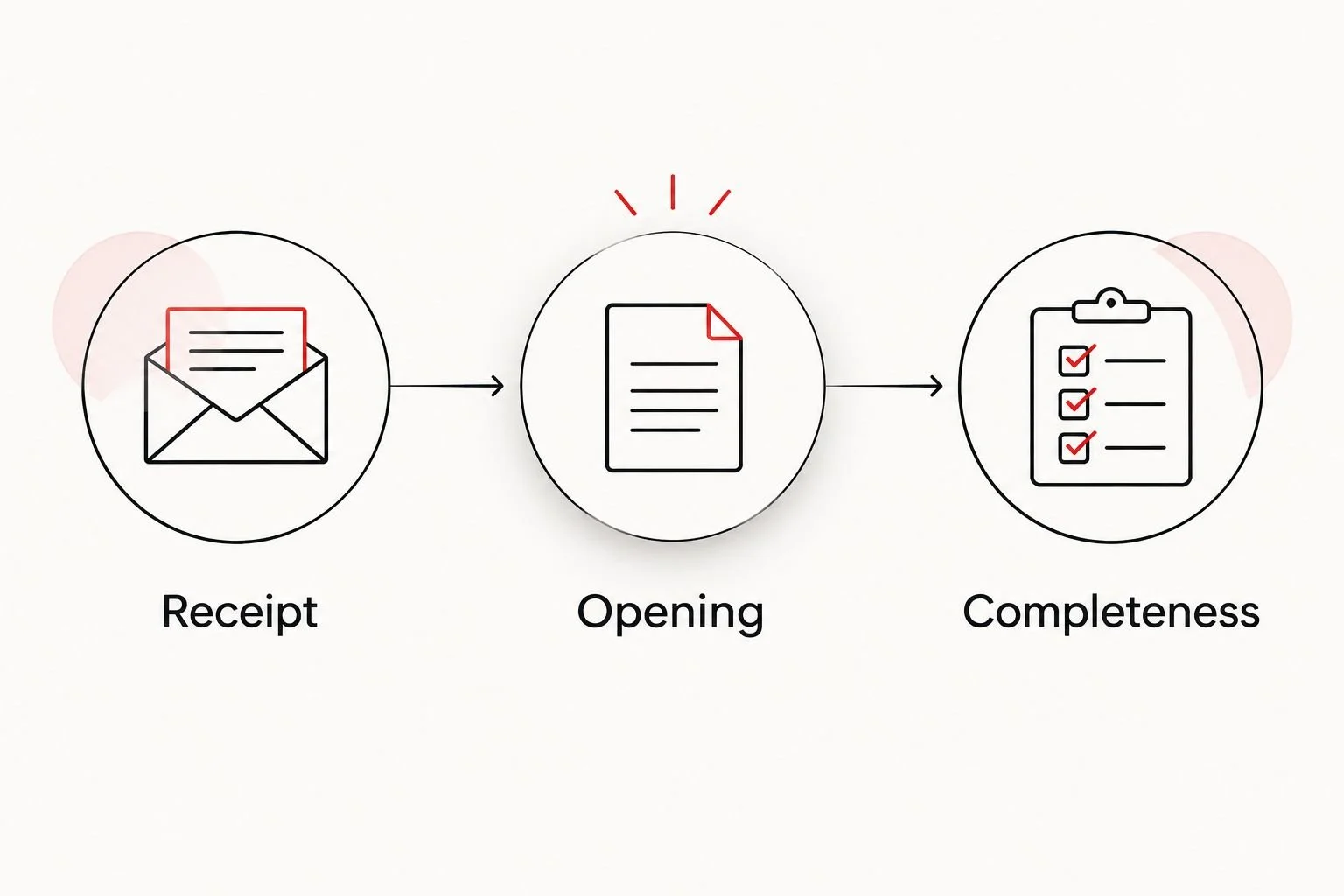
A delivered notification is not the same as an accessible, complete record.
Repeat the workflow after each new scan
For recurring ultrasound appointments, create a repeatable checklist rather than assuming the first release covers every future visit. Check the authorization’s actual scope and expiration with the records office.
After each examination, confirm the scan date, request the agreed records, and repeat the access checks. Reconfirm recipients whenever contact details, relationships, or the agreed sharing boundaries change.
If a report is corrected or supplemented, request the current version and tell recipients that it replaces or adds to the earlier copy. Preserve the version information so a receiving clinician does not mistake an older report for the current one.
For a recurring 2026 workflow, use 1 private tracking folder for permissions, delivery confirmations, and your checklist. Keep clinical originals distinguishable from edited keepsake copies. This is an organizational recommendation, not a requirement to use a particular storage service.
Do not automate disclosure merely because appointments repeat. Automatic notifications are useful only when the provider supports them and their scope matches the patient’s permission.
Troubleshooting
The intended parent cannot open the link
Ask the recipient to use the exact address associated with the invitation and follow the provider’s verification instructions. If the link has expired or access still fails, request a replacement through the records office; forwarding another person’s invitation does not fix recipient authorization.
The report arrived, but the images did not
Ask whether the image archive requires a separate release or transfer request. Specify whether you need selected pictures for viewing or the diagnostic image study for a clinician. Those requests serve different purposes.
The office says the permission is incomplete
Ask which field, signature, recipient detail, or supporting document needs correction. Have the patient or other legally authorized person complete the required step; do not sign for the surrogate simply because you coordinate appointments.
The file contains more information than expected
Pause further sharing and contact the records office about a narrower release. Do not alter a diagnostic report and present the edited version as the original. For future family updates, request or select appropriate keepsake copies separately.
Records went to the wrong person
Contact the provider immediately if it sent the records, and ask the unintended recipient not to use or forward them. Request deletion and withdrawal of access where possible, but do not assume previously downloaded copies can be retrieved. Follow the provider’s privacy-response instructions.
Customize your workflow
Build separate paths for medical review and family connection. Send clinical records to the treating team through its accepted route; share agreed photos or videos with intended parents without treating those keepsakes as a medical assessment.
Before an appointment at The Ultrasound Concierge, ask which records the planned examination produces and how an authorized recipient requests them. Discuss attendance and remote participation separately from records access, because agreement to one does not automatically establish the other.
Keep a short decision record covering recipients, record types, delivery method, and follow-up contact. Update it whenever the surrogate changes the sharing instructions. Clear boundaries support personal communication without requiring disclosure of unrelated healthcare information.
FAQ
How do I share surrogate ultrasound records with intended parents?
Ask the imaging provider for its approved records-release process, document the required permission, and identify each recipient and requested record type. Then verify that every recipient can open the correct report and images without using the surrogate’s patient-portal password.
Do intended parents automatically have access to the surrogate’s ultrasound records?
Do not assume intended-parent status automatically establishes access to the surrogate’s medical records. Ask the provider what authorization or legal documentation it requires, and direct disputed legal questions to the provider’s privacy officer or your attorney.
Can the surrogate share ultrasound pictures herself?
The surrogate can choose to share copies of her own ultrasound pictures. Keep family pictures separate from clinical records, and agree on whether recipients can forward or publish them.
Should intended parents receive the report or just the ultrasound pictures?
Request the records that match the agreed purpose: pictures for family updates and the appropriate report and imaging study for clinical review. A keepsake image does not replace a diagnostic report or a clinician’s explanation.
Can intended parents use the surrogate’s portal login?
Do not share the surrogate’s portal password. Ask about approved recipient access or separately released copies so unrelated healthcare information remains outside the sharing arrangement.
What if the ultrasound images will not open on a phone?
Ask the imaging provider which file format it supplied and how to view it. Diagnostic DICOM files can require compatible viewing software, while a separate viewable copy can serve a different purpose from the clinical original.
Can ultrasound records be shared automatically after every appointment?
Use recurring sharing only when the provider supports it and the permission covers the intended records and recipients. Recheck the authorization’s scope, expiration, and contact details rather than automatically forwarding patient-portal emails.
One last thing
Receiving a record and publishing it are different decisions. Before sharing an ultrasound picture publicly, ask the surrogate for permission and inspect the image for names, dates of birth, or other identifiers. Use an announcement copy rather than changing the clinical original.
For your 2026 plan, agree on announcement boundaries before the scan. That conversation protects privacy without taking away the intended parents’ opportunity to feel included.