
How to submit a 3D/4D ultrasound receipt to an employer portal
Instead of repeatedly emailing receipts to HR, submit your ultrasound receipt through the employer’s designated benefits portal and save the confirmation with your records. First confirm that the benefit covers the actual service: uploading a 3D/4D ultrasound receipt does not make an elective keepsake scan eligible for reimbursement.
TL;DR
To submit ultrasound receipt to employer benefits portal, confirm eligibility before uploading your itemized receipt.
The Ultrasound Concierge provides private ultrasound services; your benefits administrator decides whether an expense qualifies.
Elective 3D/4D ultrasound and diagnostic ultrasound are not interchangeable reimbursement categories.
Use the correct benefit, preserve the original receipt, and save the submission confirmation.
Why this matters
Your employer’s portal is a submission channel, not a coverage decision. A pregnancy-related expense can fall outside a benefit’s rules even when the portal accepts the attachment without an error.
For a 2026 claim, check the applicable plan documents before choosing a category. An employer-funded family benefit, a health flexible spending arrangement, and a health savings account follow different rules. An accepted upload is not an approved reimbursement.
Start with the guide to 3D/4D ultrasound as a prenatal workplace benefit if you need help separating an employer benefit from medical insurance.
The Ultrasound Concierge is best for Keller and Willow Park patients seeking private ultrasound services, not benefits eligibility decisions. Its diagnostic and elective services serve different purposes; neither the provider name nor the imaging format establishes coverage.
Before you start
Access and plan rules: Have your portal login, the applicable 2026 benefit description, and the administrator’s secure support channel. Check dependent eligibility, submission deadlines, and whether advance approval is required.
Supporting documents: Gather the original receipt, an itemized service description, the patient’s name, the service date, and any documentation the plan specifically requests. Ask the imaging provider for missing factual details rather than editing the receipt yourself.
The non-obvious gotcha: A keepsake scan does not become diagnostic because you select a medical category. Confirm whether the benefit permits elective imaging before entering a claim, and never add a diagnosis or billing code yourself.
Portal wording differs by employer and administrator. The instructions below describe the actions to take rather than inventing button names for a system you might not use. Follow the labels actually displayed in your account.
Benefit selection
Choose the reimbursement route
Open your employer’s benefits information and identify the account or program you intend to use. Read its eligible-expense rules, not just the pregnancy or wellness heading.
Check whether the service was diagnostic imaging or elective keepsake imaging. Use the provider’s description of what was performed.
Confirm that the patient qualifies under the benefit. Do not assume that every family member or pregnancy-related expense is included.
Ask the administrator whether this specific service belongs in that program before starting a submission if the written rules do not answer the question.
Expected result: You know which benefit applies, which patient is eligible, and whether the actual ultrasound service qualifies for consideration.
The routes below are not interchangeable. Choose the route that matches your benefit and documentation, rather than the route with the easiest upload screen.
Employer family or lifestyle benefit
Best for: Employees whose written benefit expressly includes the service
Practical advantage: Can provide a route for expenses outside medical coverage when the program permits them
Limitation: Employer-specific rules and tax treatment apply
Health FSA
Best for: Eligible, unreimbursed medical expenses under the FSA’s rules
Practical advantage: Provides a formal claim and documentation process
Limitation: A purely elective keepsake scan is not automatically a qualified medical expense
HSA reimbursement
Best for: Account holders paying themselves back for qualified medical expenses
Practical advantage: Lets the account holder retain supporting records for an eligible expense
Limitation: The account holder remains responsible for tax eligibility; a portal transaction does not establish it
For tax-favored accounts, consult IRS Publication 502 for the medical-expense framework and IRS Publication 969 for HSA and FSA rules. These federal references do not expand an employer’s separate benefit terms.
A medical purpose matters more than whether the images are called 3D or 4D. Do not relabel an elective appointment to fit a medical reimbursement category.
Receipt preparation
Build a readable document packet
Open the receipt and verify the patient, provider, service date, service description, and payment information. Compare those details with your appointment records.
Request an itemized receipt if the document only identifies a package or contains an unclear description. Ask for an accurate description of the service actually delivered.
Separate eligible and ineligible components when the administrator requires itemization. Ask the provider to clarify the breakdown; do not create your own allocation.
Save a readable copy in a format the portal accepts. Keep the original unchanged and inspect every page before uploading.
Expected result: Your attachment is legible, accurately describes the visit, and contains the information the administrator requests.
Use 1 receipt per claim when the portal supports that structure as an organizational choice, not as a universal plan rule. If the administrator requires combined documents, follow those instructions instead.
For your 2026 records, choose a filename containing the service date and document type without unnecessary medical details. Avoid putting a Social Security number, diagnosis, or full birth date in the filename.
A card transaction confirms a payment, but it does not explain what service was provided. Likewise, an ultrasound image does not replace an itemized receipt. Upload the document that answers the administrator’s request rather than adding extra personal material.
The Ultrasound Concierge provides both diagnostic and elective ultrasound services. Request documentation that identifies your actual visit; do not assume the receipt for one service can substantiate another.
Claim entry and attachment
Enter the expense accurately
Sign in through your employer’s established benefits access route. Confirm that you are viewing the correct account and applicable plan period.
Start the reimbursement or expense-submission process for the benefit you verified. Do not use an insurance-claim workflow merely because the service involved ultrasound.
Select the patient and enter the service date from the receipt. Distinguish the appointment date from the payment date when the form requests them separately.
Enter the requested payment details exactly as documented. Use only the portion eligible under the benefit’s instructions, and disclose other reimbursement when requested.
Attach the receipt and any specifically required supporting document. Open the attachment preview, if provided, and confirm that the entire document is visible.
Expected result: The draft claim matches the receipt, uses the correct benefit, and includes a readable attachment.
If the form requires a diagnosis, procedure code, or provider identifier absent from your documents, stop and ask the administrator what is required. Ask the provider to supply legitimate missing information where appropriate. Never choose a code from an internet search to make the form proceed.
Keep explanations factual and brief. State whether the appointment was diagnostic or elective, using the documentation’s wording. Do not describe bonding, reassurance, or image quality as proof of medical necessity.
Medical insurance has its own submission rules. The guide to insurance for an elective 3D/4D ultrasound covers that separate question; an employer portal should not be treated as an insurance workaround.
Submission and recordkeeping
Review the claim and save the outcome
Run 2 final checks: compare the patient and service date with the receipt, then compare the selected benefit and attached documents with the plan instructions.
Read any certification before agreeing. Confirm that statements about eligibility, payment, and other reimbursement are accurate.
Submit only after resolving discrepancies. Save the confirmation reference or confirmation page in a private location with the receipt.
Check the claim’s status through the administrator’s stated process. Respond through the existing claim when additional information is requested, unless support instructs otherwise.
Expected result: You have evidence of submission and a clear place to monitor questions, approval, or denial.
Use this sequence for a 2026 submission: verify eligibility, prepare documents, enter the claim, save confirmation. The order prevents you from spending time fixing an upload for an expense the benefit excludes.
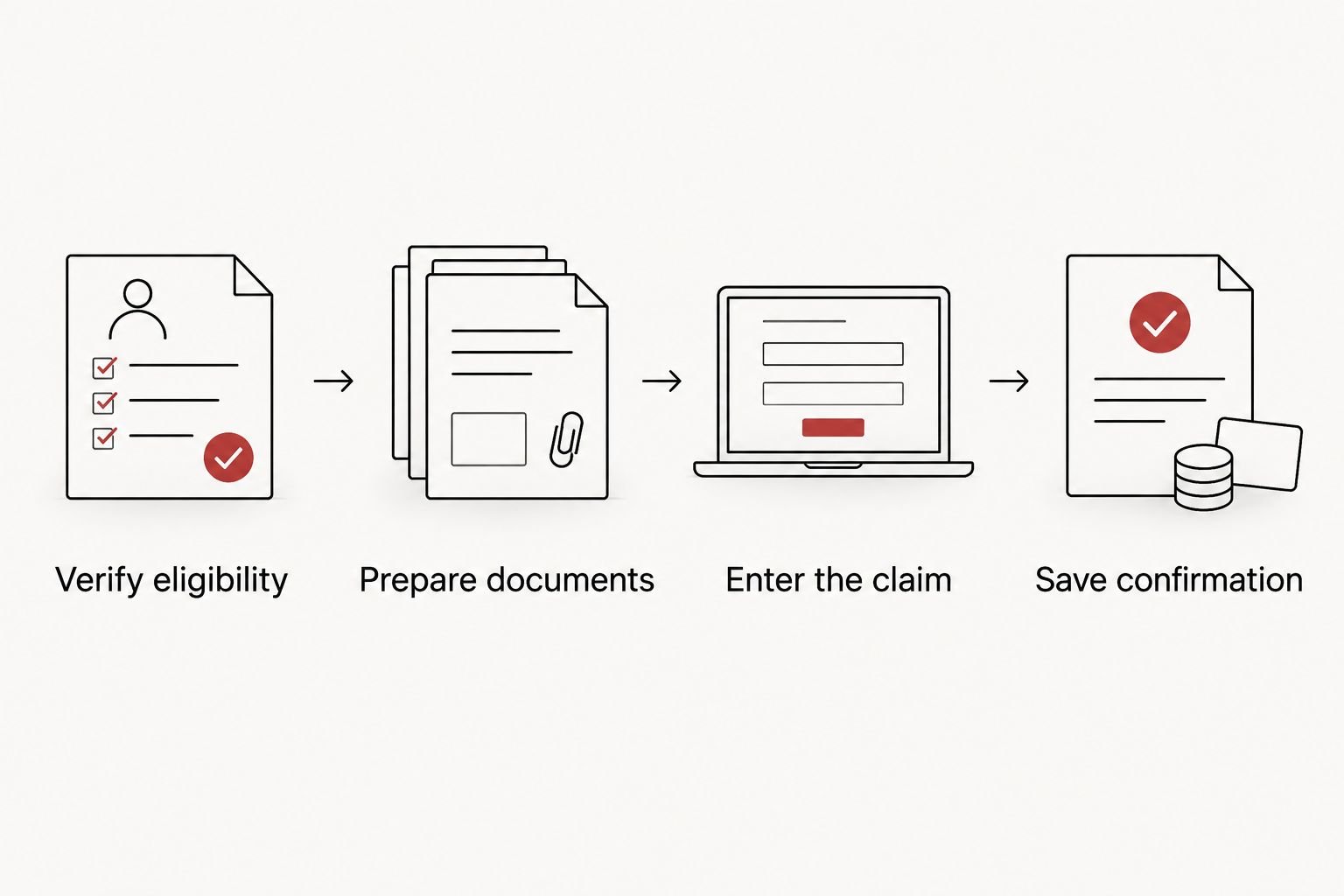
Confirm eligibility before entering the claim or uploading personal documents.
Keep 3 records together as a practical filing habit: the receipt, the submission confirmation, and the final decision. Add administrator correspondence when it explains the outcome. This is an organizational recommendation, not a statement of a universal retention period.
When an existing claim needs more information
A request for documentation is different from a final denial. Use the existing claim to answer the specific question rather than starting another submission for the same visit.
Open the claim and read the administrator’s message in full. Identify whether the issue concerns eligibility, missing documentation, or an entry error.
Obtain the requested factual document or correction. Preserve the original receipt and keep the corrected version clearly identified in your records.
Add the response using the claim’s available follow-up process. Explain what changed without adding unrelated health information.
Save the updated confirmation and check the next stated action or deadline.
Expected result: The administrator can connect the new information to the original expense without sorting through duplicate claims.
If the decision says the benefit excludes elective imaging, another copy of the same receipt will not resolve that exclusion. Review the stated appeal process and submit an appeal only with a factual basis, such as a misclassified service or overlooked plan provision.
Troubleshooting
The attachment will not upload
Check the portal’s listed file types and file-size limit. Export a readable copy in an accepted format, then inspect it again; compression that makes the service details unreadable defeats the purpose.
The form requires information you do not have
Ask the administrator whether that field applies to your benefit and service. Request accurate missing details from the provider when appropriate, but do not invent a diagnosis, procedure code, or tax identifier.
The claim was denied as an ineligible expense
Read the specific reason and compare it with the applicable benefit terms. Correct a factual error through the stated process; if the service is excluded, do not resubmit it under a different medical description.
The portal says the expense is a duplicate
Locate the earlier submission and check its status before taking another action. Ask support how to correct or supplement that claim instead of creating another entry.
The receipt and claim show different dates
Check whether you entered a payment date where the form requested the service date. Use the receipt and provider records to resolve the mismatch, then follow the administrator’s correction instructions.
Customize your workflow
Create a private folder for your 2026 benefits records and use the same document-checking routine for each eligible expense. Keep separate claims distinct, even when appointments relate to the same pregnancy.
For a shared family workflow, agree who will submit each expense and where confirmations will be stored. Never request reimbursement twice for the same expense. If another payer reimburses you after submission, notify the relevant administrator and follow its correction process.
Protect your privacy throughout. Use the administrator’s approved secure channel rather than sending receipts or ultrasound images to a manager’s ordinary inbox. Ask which documents are necessary before sharing clinical records.
FAQ
How do I submit an ultrasound receipt to my employer benefits portal?
Confirm that your benefit covers the service, start the appropriate expense submission, enter the receipt details, and upload the required documents. Review the claim before submitting and save the confirmation.
Can I get reimbursed for an elective 3D/4D ultrasound?
Reimbursement depends on the specific benefit and the service performed. An employer program must permit the expense; a purely elective keepsake scan is not automatically eligible under medical reimbursement rules.
Can I use an HSA or FSA for a keepsake ultrasound?
Do not assume a keepsake ultrasound qualifies for an HSA or FSA. Tax-favored reimbursement requires a qualified medical expense, and a successful payment or upload does not establish eligibility.
What should my ultrasound receipt include?
Follow your administrator’s requirements for the patient name, provider information, service date, service description, and payment details. Request an accurate itemized receipt if the original document lacks required information.
Do I need to upload my ultrasound pictures?
Ultrasound pictures do not replace a receipt. Upload clinical images only if the administrator specifically requires them through an approved secure process.
What if my employer portal asks for a diagnosis code?
Do not invent a diagnosis code or select one from an internet search. Ask the administrator whether the field applies and request legitimate documentation from the provider if needed.
Does The Ultrasound Concierge decide whether my employer reimburses me?
No. Your benefits administrator applies the employer program’s rules, while tax rules also govern HSA and FSA eligibility. The imaging provider documents the service performed.
What should I do if my ultrasound claim is denied in 2026?
Read the denial reason and the applicable plan’s correction or appeal instructions. Address factual errors or missing documentation, but do not change an elective service into a diagnostic claim.
One last thing
The most useful question is whether the actual service qualifies—not whether the portal accepts the file. Ask that before uploading personal records. A clear eligibility answer saves more effort than a perfectly formatted attachment for an excluded expense.